BIND9 with DDNS updates on Debian Sid

As part of some work to resolve a kubernetes application deployment.
The particular application i\u2019m working with has hard dependencies on DNS, particularity, A, TXT and SRV records.
For each kubernetes pod that spins up, i need it to register itself into DNS.
Then the other services can discover themselves.

Here is a basic excerpt of enabling DDNs updates on example.com

Install the basics

apt-get install bind bind9utils dnsutils

Forward Lookup Zone

cat > /etc/named/db.example.com.conf <<EOF
$ORIGIN .
$TTL 86400      ; 1 day
example.com             IN SOA  example.com. root.example.com. (
                                3          ; serial
                                604800     ; refresh (1 week)
                                86400      ; retry (1 day)
                                2419200    ; expire (4 weeks)
                                86400      ; minimum (1 day)
                                )
                        NS      ns1.example.com.
$ORIGIN example.com.
ns1                     A       10.1.1.6 ; replace with your server IP address.
EOF

Reverse Lookup Zone

cat > /etc/named/db.10.1.1.conf <<EOF
$TTL    86400
@       IN      SOA     example.com. root.example.com. (
                              1         ; Serial
                         604800         ; Refresh
                          86400         ; Retry
                        2419200         ; Expire
                          86400 )       ; Negative Cache TTL
;
@       IN      NS      ns1.example.com.
6       IN      PTR     ns1.example.com. ; replace 6 with your server ip last octet
EOF

Named local config (should be included from named.conf)

cat > /etc/named/named.conf.local <<EOF
zone "example.com" IN 
{
  type master;
  file "/etc/bind/db.example.com.conf";
  notify no;
  allow-query {any;};
  allow-update { key "rndc-key"; };
};

zone "1.1.10.in-addr.arpa" {
  type master;
  notify no;
  file "/etc/bind/db.10.1.1.conf";
  allow-update { key "rndc-key"; };
};

key "rndc-key" {
  algorithm hmac-md5;
  secret "VBJev6+xzhFVXXYY7tAq4A=="; // this came from the rndc-key file /etc/bind
};
EOF

Key file

cat > /etc/named/rndc-key <<EOF
key "rndc-key" {
  algorithm hmac-md5;
  secret "VBJev6+xzhFVXXYY7tAq4A==";
};
EOF

Fix any permissions issues and restart the server

chown root:bind /etc/bind/*
chmod g+w /etc/bind
systemctl restart bind9.service

Test the DDNS updates works

(
  echo "server 127.0.0.1"
  echo "zone example.com"

  echo "update delete xyz.example.com A"
  echo "update add xyz.example.com 120 A 192.0.2.1"
  echo "send"
) | /usr/bin/nsupdate -k "/etc/bind/rndc.key"

Nslookup for good measure

nslookup xyz.example.com 127.0.0.1
Debian Sid Intel I217-V Not Working

After scouring for ages looking for this fix. I\u2019ve decided to document it.
It comes form a number of sources. Kudos to the individual people.

Problem
Rebooting from windows into Linux renders the NIC unusable. the classic \u201clights are on but no one is home\u201d
Some people advice disabling PXE etc in the bios. There is a better solution

Identify the NIC

root@dave-pc:/lib/systemd/system# lspci | grep Ether
00:19.0 Ethernet controller: Intel Corporation Ethernet Connection I217-V (rev 04)

Create a systemd oneshot service file

cat > /lib/systemd/system/intelnicreset.service <<EOT
[Unit]
Description=Reset Intel Nic on Boot before it comes up
Before=NetworkManager.service
Wants=NetworkManager.service

[Service]
Type=oneshot
ExecStart=/usr/bin/resetintelnic
RemainAfterExit=no

[Install]
WantedBy=multi-user.target
EOT

Reset NIC bash file

cat > /usr/bin/resetintelnic <<EOT
#!/bin/bash

#Get the PCI-Address of network card (Caution: This works ONLY with ONE NIC)
PCI=`/usr/bin/lspci | /bin/egrep -i 'network|ethernet' | /usr/bin/cut -d' ' -f1`
PCIPATH=`/usr/bin/find /sys -name *\${PCI} | /bin/egrep -i *pci0000*`
/usr/bin/logger -t "ResetNIC" "Resetting PCI NIC ${PCIPATH}"

#Reset the PCI Device completely (like Power-ON/Off)
echo 1 >${PCIPATH}/reset
EOT

Make it executable

chmod +x /usr/bin/resetintelnic

Synology Filebot Autonaming cron job

Having a synology NAS is great. However when dealing with 32tb, good file management is a must!
I have 2 primary folders, Films and Series. The set of below scripts iterate the files and use the TVDB and MovieDB to clean up the file names.
The second scripts downloads any missing subtitles for the media 🙂

File renaming

<?php

$email = "you@yourdomain.comd";

error_reporting(E_ALL);

$log = "/volume1/homes/admin/cleanup/report-rename.txt";
unlink( $log );
touch( $log );

$ploglines = array();
$loglines = explode( "\n", shell_exec( "filebot -rename /volume1/Entertainment/Films/ --db TheMovieDB 2>&1" ) );

foreach( $loglines as $logline )
{
  $line = trim( $logline );

  if( $line == "" ) continue;
  if( preg_match( "/^Skipped.*$/", $line, $dontcare ) ) continue;
  if( preg_match( "/^Auto-detect movie from context.*$/", $line, $dontcare ) ) continue;
  if( preg_match( "/.*Rename movies using.*$/", $line, $dontcare ) ) continue;

  $ploglines[] = $line;
}

$frt = implode( "\r\n" , $ploglines );

$body = "Dear user,\n\n $frt \n\nSincerely,\nSynology DiskStation\n\n";
mail($email, 'DSM - Filebot Rename Report - Films', "$body");


$log = "/volume1/homes/admin/cleanup/report-rename.txt";
unlink( $log );
touch( $log );

if ($handle = opendir('/volume1/Entertainment/Series/'))
{
  while (false !== ($entry = readdir($handle)))
  {
    if ($entry != "." && $entry != "..")
    { 
      $cmd = "filebot -r -rename \"/volume1/Entertainment/Series/$entry/\" --db TheTVDB 2>&1";
      $frt = shell_exec( $cmd );
      file_put_contents( $log, $frt . "\n\n", FILE_APPEND | LOCK_EX );
    }
  }
  closedir($handle);
}

$ploglines = array();
$loglines = file( $log );

foreach( $loglines as $logline )
{
  $line = trim( $logline );

  if( $line == "" ) continue;
  if( preg_match( "/'^Skipped.*$/", $line, $dontcare ) ) continue;
  if( preg_match( "/^Fetching episode data.*$/", $line, $dontcare ) ) continue;
  if( preg_match( "/^Processed.$*/", $line, $dontcare ) ) continue;
  if( preg_match( "/^Done.*$/", $line, $dontcare ) ) continue;
  if( preg_match( "/^Failure.*$/", $line, $dontcare ) ) continue;
  if( preg_match( "/^No media files.*$/", $line, $dontcare ) ) continue;

  $ploglines[] = $line;
}

$frt = implode( "\r\n" , $ploglines );

$body = "Dear user,\n\n $frt \n\nSincerely,\nSynology DiskStation\n\n";
mail($email, "DSM - Filebot Rename Report - Series $entry", "$body");

Subtitles scripts

<?php

$email = "you@yourdomain.com";

$log = "/volume1/homes/admin/cleanup/report-subtitles.txt";
unlink( $log );
touch( $log );

$fst = shell_exec( "filebot -script fn:suball /volume1/Entertainment/Films/ --lang en -non-strict 2>&1" );
$body = "Dear user,\n\n $fst \n\nSincerely,\nSynology DiskStation\n\n";
mail($email, 'DSM - Filebot Subtitles Report - Films', "$body");

if ($handle = opendir('/volume1/Entertainment/Series/'))
{
  while (false !== ($entry = readdir($handle)))
  {
    if ($entry != "." && $entry != "..")
    { 
      $cmd = "filebot -r -script fn:suball \"/volume1/Entertainment/Series/$entry/\" --lang en -non-strict --db TheTVDB 2>&1";
      $frt = shell_exec( $cmd );
      file_put_contents( $log, $frt . "\n\n", FILE_APPEND | LOCK_EX );
    }
  }
  closedir($handle);
}

$frt = file_get_contents( $log );
$body = "Dear user,\n\n $frt \n\nSincerely,\nSynology DiskStation\n\n";
mail('dave@fio.ie', "DSM - Filebot Subtitles Report - Series $entry", "$body");

Cron Job

ash-4.3# cat /etc/crontab 
MAILTO=""
PATH=/sbin:/bin:/usr/sbin:/usr/bin:/usr/syno/sbin:/usr/syno/bin:/usr/local/sbin:/usr/local/bin
#minute hour    mday    month   wday    who     command
0       0       1       *       *       root    /usr/syno/bin/syno_disk_health_record
0       0       *       *       3       root    /usr/bin/php /var/services/homes/admin/cleanup/filebot-rename.php
0       0       *       *       5       root    /usr/bin/php /var/services/homes/admin/cleanup/filebot-subtitles.php
5       3       *       *       6       root    /usr/syno/bin/synomyds --report_info
0       3       *       *       1       root    /tmp/synoschedtask --run id=1
0       3       13      *       *       root    /tmp/synoschedtask --run id=2
11      2       *       *       4       root    /tmp/synoschedtask --run id=3

Systemd Networkd Chef Cookbook

This cookbook is responsible for configuring systemd-networkd. A modified version of systemd networkd is required.

This can be found @ https://github.com/Intel-Corp/systemd

Recipes

  • default: sets up directories and deletes old configurations
  • cpuport: configures attributes specific to cpu port
  • link: configures port state and port speed
  • static_mac_table: confgures the static MAC table (FDB)
  • switchport: configures port attributes
  • team: configures LAGs and LAG-specific features (e.g. LAG attributes)
  • ufd: configures uplink failure detection
  • backup: copies pre-requisities for backup tool – see below for ussage

More Details
https://supermarket.chef.io/cookbooks/systemd_networkd


FileBotPP

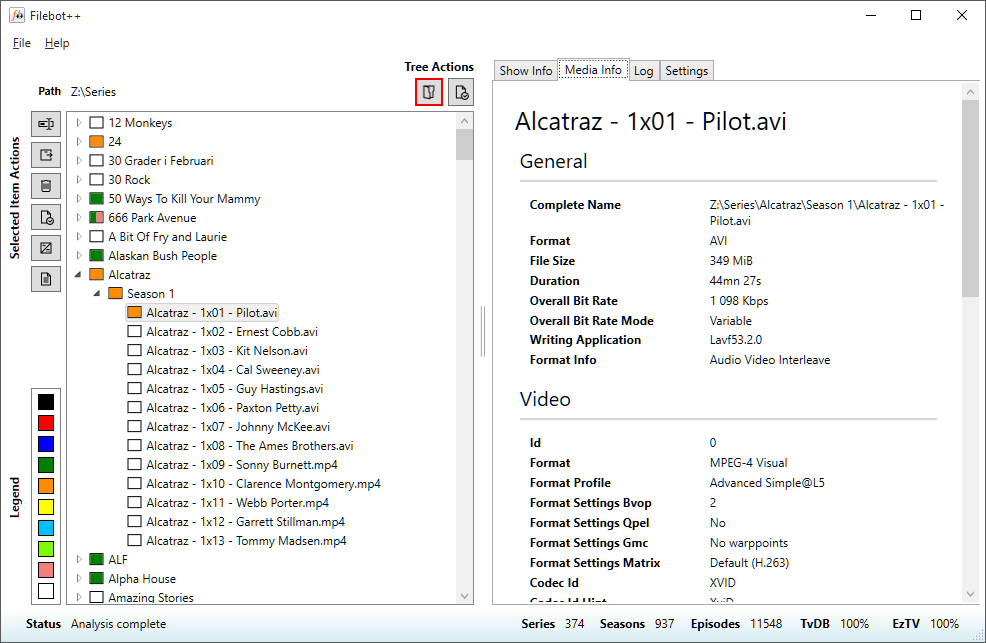
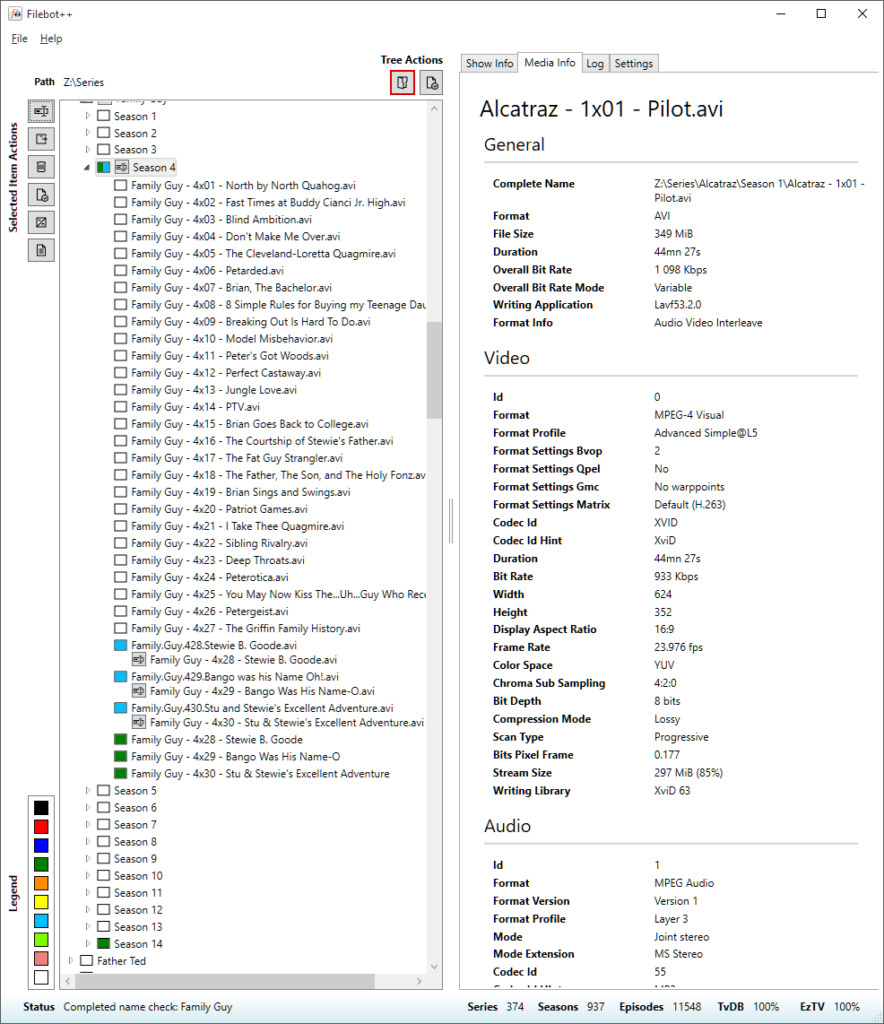
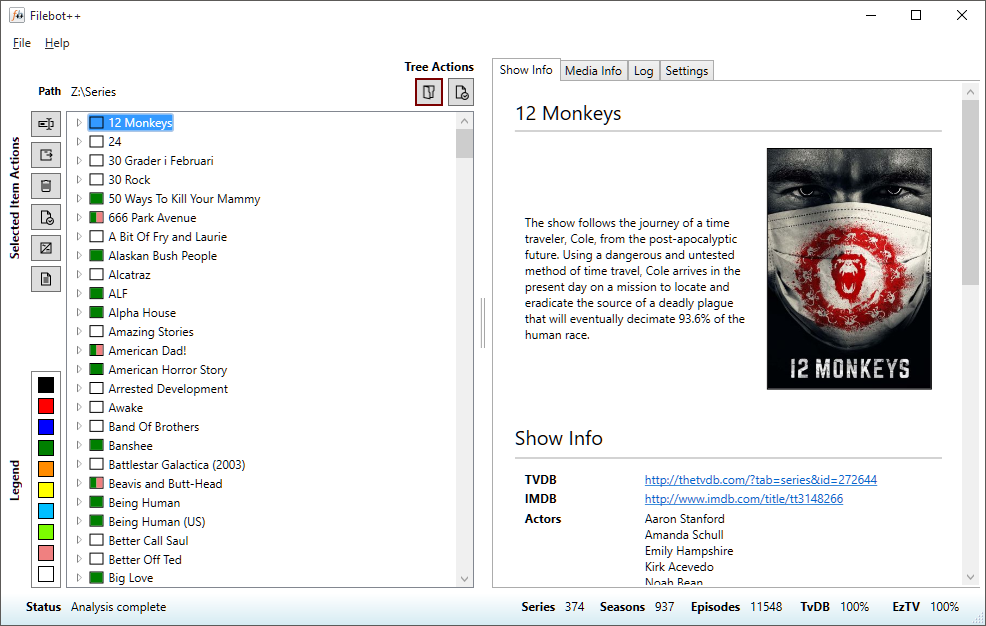
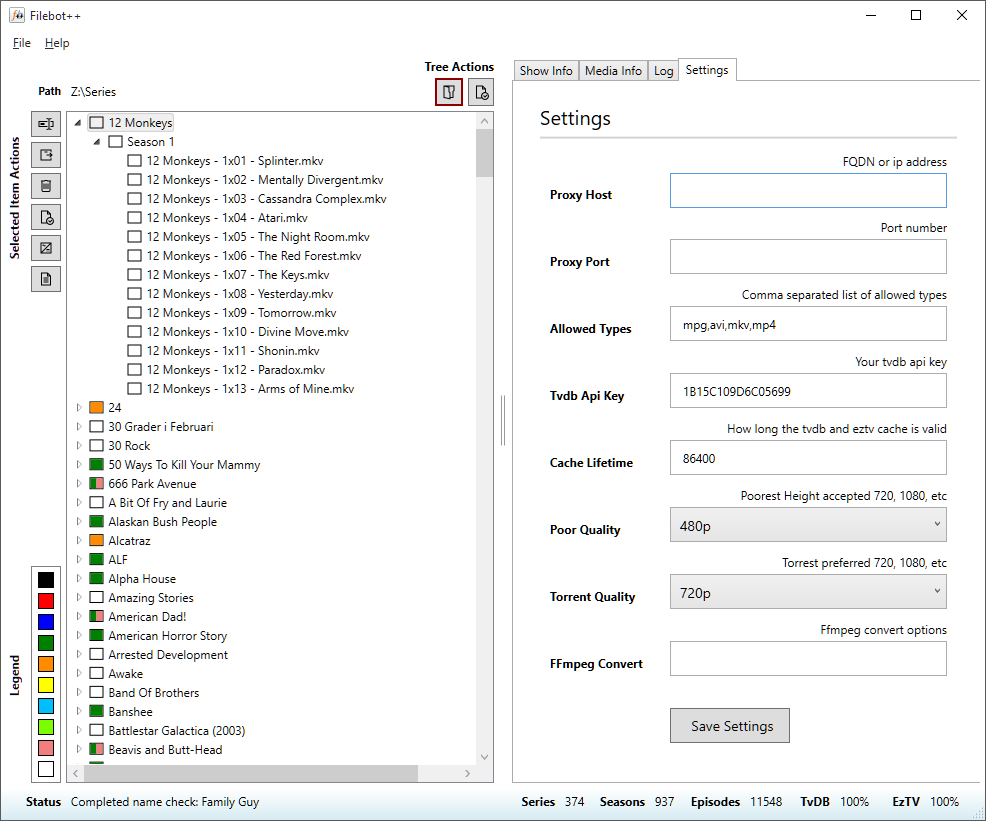
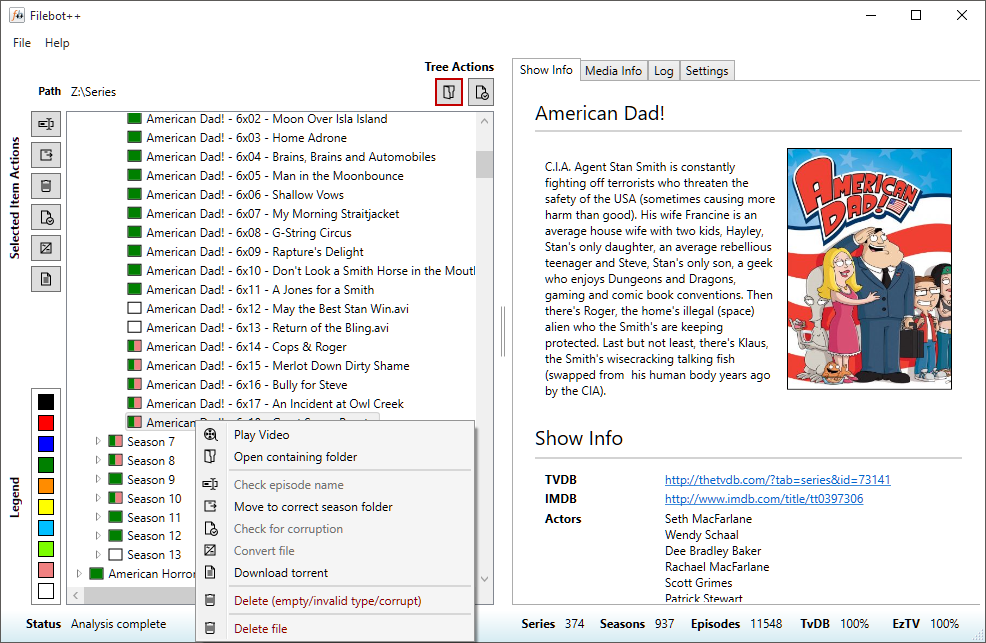
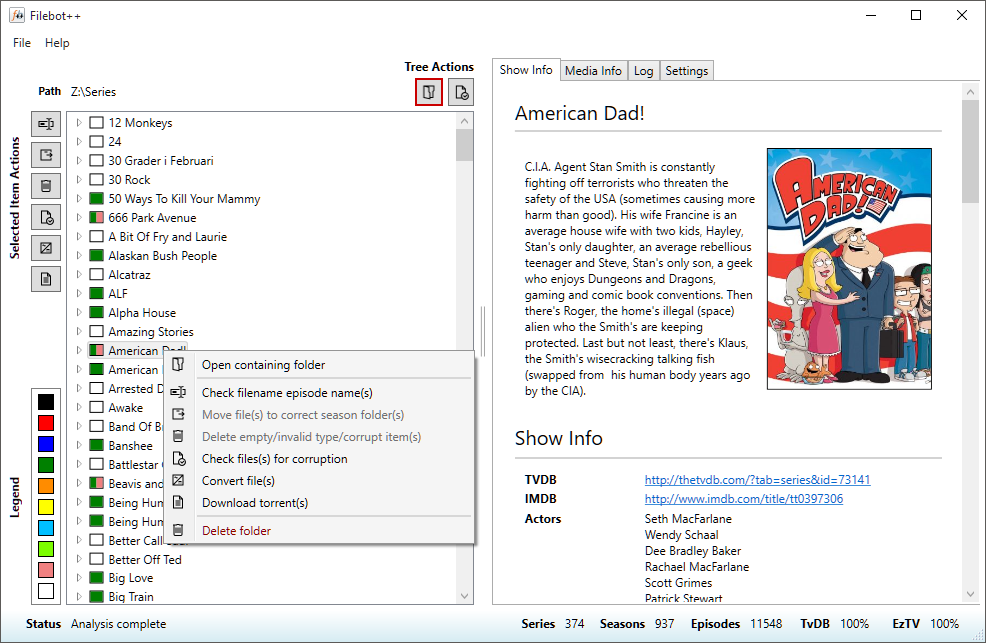
FileBotPP is a application that merges 3 great applications and 2 online databases together:

  • Apps
    • FileBot – http://www.filebot.net
    • MediaInfo – https://mediaarea.net/en/MediaInfo
    • FFmpeg – https://www.ffmpeg.org
  • Databases
    • TvDB – http://thetvdb.com
    • EzTV – http://eztv.it

https://github.com/dmzoneill/filebotpp

filecontext

foldercontext

mediainfo

rename

sample1

settings